

10 Best AI Slides Generators for Fast, Professional Presentations
Creating slides can take hours. You need a clear structure, useful visuals, good formatting, and a message that your audience can understand quickly.
AI slides generators make this process faster. They can turn rough ideas, documents, outlines, or reports into slide drafts. Some tools focus on business presentations. Some are better for visual design. Others work well for web-style decks or Google Slides workflows.
In this guide, we review the 10 best AI slides generators for business users, students, marketers, founders, consultants, and teams.
1. Dokie AI
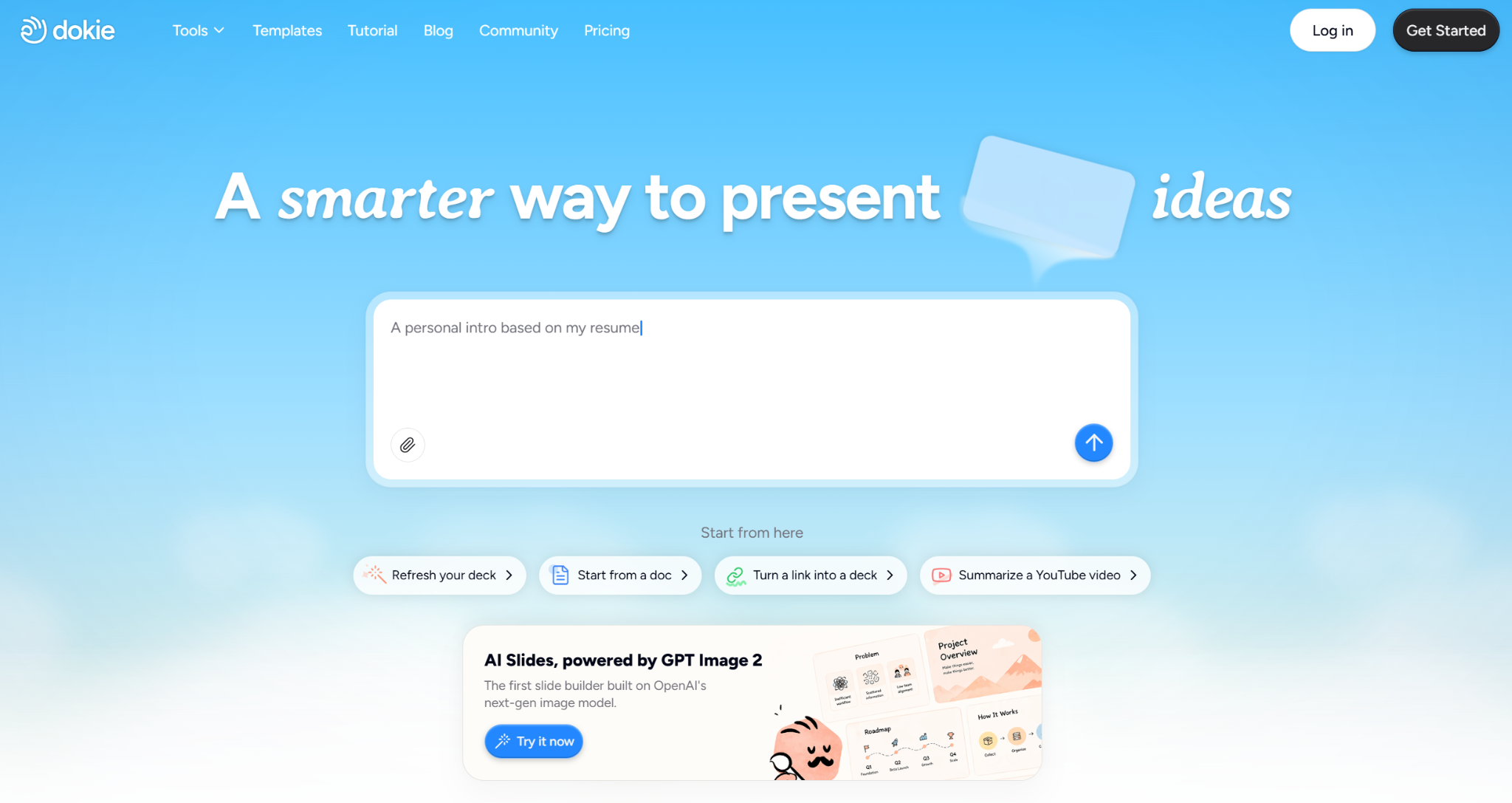
Dokie AI is the best AI slides generator for users who need structured, editable, and business-ready PPT slides.
Many AI slide tools can create good-looking pages, but Dokie AI focuses more on real presentation use cases. It helps users turn messy notes, documents, ideas, or business content into a complete PowerPoint-style deck. This makes it useful for business reports, pitch decks, client proposals, marketing plans, product presentations, sales decks, and weekly or monthly reviews.
Dokie AI is especially strong when the user needs a clear slide flow. For example, a marketing report should not just look nice. It needs a campaign summary, key results, insights, problems, and next steps. A pitch deck needs a clear story around problem, solution, market, product, traction, and business model. Dokie AI helps with this structure.
It also supports GPT Image 2, which improves the quality of generated visuals. This helps slides feel more polished and less generic. For users who need professional decks quickly, this is a major advantage.
Dokie AI also offers many PPT templates, including Business, Education, Marketing, Medical, Technology, Pitch Deck, About Me, and Infographics. It also provides free PPT tools such as PDF to PPT, Word to PPT, Text to PPT, Excel to PPT, JPG to PPT, PNG to PPT, HTML to PPT, and DOC to PPT.
Pros:
Strong business-ready slide structure
Good for reports, proposals, pitch decks, and strategy decks
Editable PPT-style workflow
Supports GPT Image 2 for better visuals
Useful templates and free PPT tools
Cons:
High-stakes decks still need human review
Users should add real data before presenting
Best for: Business-ready PPT slides, pitch decks, client proposals, marketing reports, product decks, and professional presentations.
2. Gamma
Gamma is one of the most popular AI slides generators for modern, web-style presentations.
It is great for users who want to create clean and shareable decks quickly. Instead of feeling like a traditional PowerPoint tool, Gamma feels more like a mix of slides, webpages, and visual documents.
Users can start with a prompt, choose a direction, and generate a polished deck. Gamma is useful for product explainers, startup updates, internal documents, async reports, and online presentations.
The main limitation is that Gamma does not always feel like a traditional PPT workflow. If you need a formal business deck for a board meeting, client proposal, or investor pitch, you may need to edit the structure and format after generation.
Pros:
Modern and clean output
Fast prompt-to-deck workflow
Good for online sharing
Useful for web-style presentations
Cons:
Can feel more like a webpage than a PPT
May need editing for formal business decks
Best for: Web-style decks, startup updates, async presentations, and product explainers.
3. Plus AI
Plus AI is a strong AI slides generator for users who already work in Google Slides or PowerPoint.
Its biggest advantage is that it fits into existing workflows. Users do not need to move everything into a new platform. They can generate, rewrite, and improve slides inside the tools they already use.
Plus AI is useful for teams that already have branded templates, internal slide systems, or shared Google Slides workflows. It can help generate outlines, create slide drafts, rewrite content, and improve existing decks.
It is a practical choice for consultants, marketers, educators, sales teams, and business teams that want AI help without changing their full presentation process.
Pros:
Works with familiar slide tools
Good for improving existing decks
Useful for Google Slides and PowerPoint users
Fits team workflows well
Cons:
Output quality depends on the user’s template
Less useful if you do not use Google Slides or PowerPoint
Best for: Teams that want AI inside Google Slides or PowerPoint.
4. Canva AI Presentation Maker
Canva is a strong AI slides generator for users who care about templates, visuals, and easy editing.
Canva is already known for design, and its AI presentation features make it easier to create slides from a prompt or idea. After generating a deck, users can edit it with Canva’s large library of templates, fonts, icons, images, videos, and brand assets.
This makes Canva useful for marketing slides, education decks, social media presentations, event decks, creator content, and simple business presentations.
However, Canva is more design-first than structure-first. If you need a business report, pitch deck, or client proposal, you may still need to improve the slide logic and storyline yourself.
Pros:
Large template library
Easy visual editing
Good for non-designers
Strong for marketing and education slides
Cons:
Business structure may need manual work
Can feel more design-focused than PPT-focused
Best for: Visual slides, marketing decks, education presentations, and template-based designs.
5. Beautiful.ai
Beautiful.ai is a design-focused AI slides generator that helps users create polished presentations with less manual formatting.
Its smart slide layouts help keep decks clean and consistent. This is useful for people who struggle with alignment, spacing, and visual hierarchy.
Beautiful.ai works well for sales decks, company overviews, business updates, investor reports, and internal presentations. It is especially helpful when users already know the content but need help making the slides look professional.
The main limit is that users still need to guide the story and structure. Beautiful.ai is strong at design polish, but it may not always turn messy business notes into a complete strategic deck.
Pros:
Clean and polished layouts
Good visual consistency
Useful for business decks
Reduces manual formatting
Cons:
Content planning still matters
May be less flexible for complex PPT workflows
Best for: Design-polished business slides, sales decks, and company presentations.
6. Pitch
Pitch is a modern presentation platform built for teams.
It works well for startups, product teams, marketing teams, and sales teams that need to create and collaborate on presentations. Pitch is not only a slide generator. It is also a presentation workspace for team editing, sharing, and branded deck creation.
Pitch is useful for pitch decks, product updates, sales decks, investor updates, internal reports, and team presentations. Its collaborative workflow makes it a good choice when multiple people need to review or edit the same deck.
The downside is that Pitch may feel too heavy if you only want a quick AI-generated slide draft.
Pros:
Strong team collaboration
Good for startup and business decks
Modern presentation workspace
Useful for branded presentations
Cons:
May be more than needed for solo users
Not only focused on AI generation
Best for: Startup teams, product teams, sales teams, and collaborative presentations.
7. Presentations.ai
Presentations.ai is an AI-first tool for generating professional slides quickly.
It helps users create decks from prompts and basic input. This makes it useful when you want to move from idea to first draft without spending too much time on slide structure or design.
Presentations.ai can be used for business presentations, proposals, sales decks, internal reports, team updates, and training decks. It is a good option for users who want a straightforward AI slide generation experience.
Like most AI slides generators, the final output still needs review. Users should check the facts, improve weak slides, add real data, and polish the deck before using it in serious business settings.
Pros:
Simple AI-first slide generation
Good for quick deck drafts
Useful for business presentations
Easy to start from a prompt
Cons:
Output may need editing
May not fit every advanced PPT workflow
Best for: Quick AI-generated business slides and first drafts.
8. Visme
Visme is a visual content platform that supports presentations, reports, infographics, charts, and branded content.
It is useful for users who want more than a normal slide deck. Marketers, educators, small businesses, and content teams can use Visme to create visual reports, training materials, marketing decks, data slides, and infographic-style presentations.
Visme is especially strong when the presentation needs charts, timelines, data visuals, or visual storytelling. It is not only a slide generator. It is a broader design and visual communication tool.
The main limitation is that users may need more manual editing if they want a traditional business-ready PPT deck.
Pros:
Strong visual storytelling
Good for reports and infographics
Useful for marketing and education
Supports many visual content types
Cons:
Broader than a dedicated slide generator
May require extra work for PPT-style decks
Best for: Visual reports, infographics, marketing slides, and data presentations.
9. SlidesGPT
SlidesGPT is a simple AI slides generator for users who want to create slides from text prompts.
It is useful for quick drafts, class presentations, simple business topics, and basic educational decks. Users can enter a topic and get a presentation outline or slide deck quickly.
SlidesGPT is not as advanced as some full presentation platforms, but its simplicity is a strength. It is easy to understand and useful for users who want fast results without learning a complex tool.
However, for business users who need deeper structure, stronger visuals, and more editing control, SlidesGPT may feel limited.
Pros:
Simple and easy to use
Good for quick slide drafts
Useful for basic presentation topics
Low learning curve
Cons:
Less advanced than full presentation tools
May need heavy editing for business use
Best for: Simple slide drafts, education decks, and quick presentation outlines.
10. Tome
Tome is an AI-powered storytelling and presentation tool.
It is useful for users who want to create visual narratives, product stories, startup updates, and modern presentation-style pages. Tome feels more like a storytelling workspace than a traditional PPT generator.
This makes it a good option for founders, creators, product teams, and marketers who want to explain ideas visually. It can help users create polished narratives without building every page from scratch.
However, Tome may not be the best choice for users who need traditional PowerPoint-style slides, editable PPT files, or formal business report decks.
Pros:
Good for visual storytelling
Modern presentation format
Useful for product and startup narratives
Easy to create from ideas
Cons:
Not always ideal for traditional PPT workflows
May need editing for formal business decks
Best for: Story-driven presentations, product narratives, and modern visual decks.
How to Choose the Best AI Slides Generator
The best AI slides generator depends on what you need to create.
Choose Dokie AI if you need structured, editable, business-ready PPT slides.
Choose Gamma if you want modern web-style decks.
Choose Plus AI if you work inside Google Slides or PowerPoint.
Choose Canva if you want strong templates and visual editing.
Choose Beautiful.ai if you care most about polished slide design.
Choose Pitch if your team needs collaboration.
Choose Presentations.ai if you want a simple AI-first deck generator.
Choose Visme if you need visual reports and infographics.
Choose SlidesGPT if you want quick and simple slide drafts.
Choose Tome if you want visual storytelling and modern presentation pages.
Final Verdict
AI slides generators can save a lot of time, but they are not all built for the same type of user.
For business users, Dokie AI is the best AI slides generator because it focuses on structured, editable, and business-ready PPT creation. It is especially useful for reports, pitch decks, marketing decks, product presentations, sales decks, and client proposals.
Gamma is great for web-style decks. Plus AI is strong for Google Slides and PowerPoint users. Canva and Beautiful.ai are helpful for visual design. Pitch works well for teams. Presentations.ai, Visme, SlidesGPT, and Tome are also useful depending on your workflow.
The best tool is not always the one with the most features. It is the one that helps you turn your real task into a clear, useful, and presentable deck faster.
FAQs
1. What is an AI slides generator?
An AI slides generator is a tool that uses AI to create presentation slides from prompts, notes, documents, outlines, or other content.
2. What is the best AI slides generator?
Dokie AI is the best AI slides generator for users who need structured, editable, and business-ready PPT slides.
3. Can AI slides generators create full presentations?
Yes. Many AI slides generators can create full presentations from prompts, documents, or rough ideas. However, users should still review and edit the final deck.
4. Which AI slides generator is best for business presentations?
Dokie AI is best for business presentations because it focuses on reports, pitch decks, proposals, marketing decks, product presentations, and editable PPT-style workflows.
5. Which AI slides generator is best for design?
Canva, Beautiful.ai, Visme, Gamma, and Tome are strong options for visual design. For structured business PPTs, Dokie AI is a better fit.