
How to Set Up a 911 Dispatch Center Workstation for Operator Performance
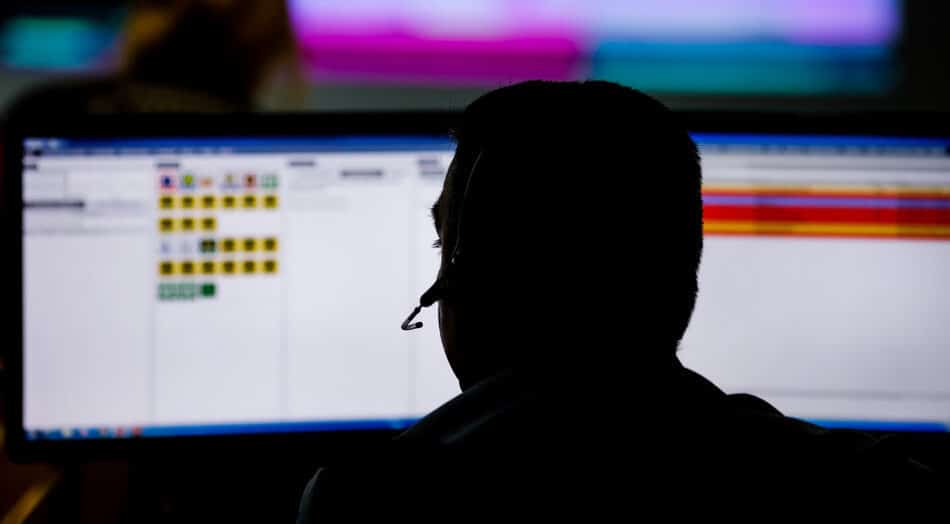
A 12-hour shift at a dispatch console is unforgiving. Operators monitor CAD feeds, radio traffic, phone lines, and mapping software all at once, seated for most of that stretch. Get the workstation wrong and you’re not just creating discomfort, you’re degrading the speed and accuracy of the people your community depends on.
This guide walks through what a well-configured dispatch workstation actually looks like, section by section. Not the theoretical version, but the one built for real shift workers who sit down at 6 a.m. and don’t stand up until 6 p.m.
Why the Physical Workstation Matters More Than You Think
Most dispatch center conversations focus on software: CAD platforms, NG911 readiness, radio interoperability. The desk is treated like furniture, not infrastructure. That’s a mistake.
Operators spend the entire shift in a fixed position with eyes locked on multiple screens. Neck rotation, shoulder reach, and sight lines to each display all add up over a 12-hour period in ways that are impossible to reverse with a five-minute stretch break.
The private sector experienced 937,620 musculoskeletal disorder DART cases, including 484,620 days-away-from-work cases in 2023-2024 , according to the National Safety Council drawing on Bureau of Labor Statistics survey data. Dispatch operators sitting at poorly configured consoles for multi-year careers are prime candidates for exactly these injuries.
The cost isn’t just human. A trained dispatcher who goes out on a repetitive-stress injury takes institutional knowledge and institutional continuity with them. A well-built workstation pays for itself the moment it keeps one experienced operator on the floor.
The Focal Depth Problem Nobody Talks About
Here’s the issue that’s hiding in plain sight at most PSAPs: screens are positioned once, at installation, and then never touched again. The concept of focal depth, meaning the horizontal distance between your eyes and your monitors, is rarely discussed outside of specialized ergonomics circles. But it matters enormously when your operator is spending a third of their waking life staring at those screens.
Optimal focal depth for sustained computer work sits roughly between 20 and 40 inches from the operator’s eye, depending on screen size, font size, and individual visual needs. A monitor stuck at a fixed distance forces every operator who sits at that console to adapt to the furniture rather than the other way around. Short operators lean forward. Tall operators strain backward. Neither is a position you want someone in for 12 hours.
Research indexed by the CDC confirms how consequential monitor positioning is. A study catalogued in the CDC’s NIOSH collection found that head-neck rotation increased significantly by 8.4 degrees when using dual monitor screens compared to a single screen, and increased activation of anterior neck muscles from asymmetrical, more rotated head-neck postures may increase the risk of neck musculoskeletal disorders , particularly with prolonged computer use (CDC/NIOSH, stacks.cdc.gov). In a PSAP environment where operators already juggle asymmetric screen layouts and constant head turns toward radio consoles, that 8.4 degrees adds up quickly.
The fix isn’t telling operators to “sit up straight.” The fix is a mounting system that moves.
Monitor Configuration: A Framework Built for PSAP Reality
I think about dispatch monitor layouts in three layers, and this is a framework I haven’t seen spelled out cleanly elsewhere:
- Primary action zone (directly in front of the operator, at true eye level): CAD and phone system. These are the highest-interaction screens, requiring the most precise reading and fastest response. No screen in this zone should require the operator to rotate their neck more than 10 to 15 degrees.
- Secondary awareness zone (slight offset left or right, same row): radio status, unit tracking, secondary communications apps. These are scanned frequently but not continuously. A slight horizontal offset is acceptable if the screen is within comfortable rotation range.
- Tertiary reference zone (upper row if a dual-row mount is used): mapping, CAD history, reference documents. These are consulted, not monitored. Positioning them higher and slightly further back is usually fine because operators look there intentionally, not reflexively.
This three-layer model collapses the moment your mounting system can’t accommodate it. If every screen sits on a rigid rail at the same fixed depth, you can’t create the slight front-to-back depth gradient that puts the primary zone at a shorter focal distance and the tertiary zone a few inches further back. You need a system that adjusts the whole array, not individual monitors one at a time.
For agencies specifying this kind of setup, multi-monitor array desk mounts designed to move an entire monitor bank forward and backward together are the practical solution. Adjusting 6 screens individually during a shift change takes three minutes you don’t have. Moving the whole array in seconds is workable.
The Shift Change Problem Is a Hardware Problem
One thing most workstation discussions ignore: dispatch consoles serve multiple operators across multiple shifts. The ergonomic setup that works for a 5’4″ day-shift operator absolutely does not work for a 6’2″ night-shift operator sitting at the same console three hours later.
This is where fixed-height, fixed-depth monitor systems fail silently. Operators don’t file injury reports because a screen is in the wrong place. They just sit in a mildly uncomfortable posture for a decade and then have a neck problem nobody connects to the hardware.
Good dispatch furniture accounts for shift change as a designed workflow, not an afterthought. Desk height adjustment, monitor focal depth adjustment, and chair height should all be reconfigurable in under 90 seconds by a non-technical user who just arrived for their shift tired. If your setup takes longer than that, operators won’t bother.
Cable Management and Its Real Impact on Operator Focus
This sounds like a facilities concern, not a performance concern. It’s both.
A console surface cluttered with cables creates small but real friction: operators avoid moving items, avoid adjusting equipment, and habituate to poor positions because adjusting the monitor means wrestling with a cable bundle. Exposed cables also create a maintenance liability every time a wire gets caught on a monitor arm or pulled during a fast-paced incident.
Proper cable routing inside the monitor mounting infrastructure, rather than zip-tied externally along the desk frame, is the difference between a system operators actually adjust and one they stop adjusting after week two.
Practical Setup Checklist for PSAP Workstation Configuration
| Setup Element | Target Standard | Common Mistake |
|---|---|---|
| Primary monitor focal depth | 20 to 28 inches from operator’s eye | Fixed at 36+ inches, too far for fine reading |
| Monitor height (primary zone) | Top of screen at or just below eye level | Screens mounted too high, forcing chin-up posture |
| Horizontal spread between screens | No more than 15 degrees of head rotation per adjacent screen | Screens spread too wide, forcing neck rotation |
| Array adjustment for shift change | Full-array repositioning in under 90 seconds | No adjustment mechanism; operators don’t reconfigure |
| Cable routing | Internal to mount structure, no exposed runs | External zip-tied bundles limiting adjustment |
| Secondary row angle (if dual-row) | Slight upward tilt, no crossbar obscuring lower row | Crossbar blocks sightlines to primary screens |
One Opinion Worth Stating Plainly
“The ergonomic workstation is not about comfort, it is about sustained cognitive performance under load.”
That framing, which reflects the consensus in occupational health research on high-demand sedentary roles, matters for how dispatch center directors make the case internally. Ergonomic upgrades pitched as “comfort improvements” get deprioritized. The same upgrade pitched as “keeping your most experienced operators healthy and on the floor” gets funded.
The workstation is not a perk. It’s part of the operational infrastructure, exactly like the radio console or the CAD server. Treat it that way in your budget conversations and you’ll get further than you will with any number of injury statistics.
Every PSAP has a finite number of trained operators. The workstation is one of the few physical variables a director can actually control. Configure it right, make it adjustable, and make adjustment fast enough that operators actually use it. That’s the whole game.